

A security incident rarely announces itself in one place. A spike in failed logins appears in one console, an unfamiliar vehicle lingers at a loading gate on a camera feed, and a badge reader logs an entry that does not match the shift roster. Each signal looks minor on its own, and most security teams see them in different tools, at different times, and through different people.
Automated incident response exists to close that gap. Traditional automation runs fixed playbooks against known alert types, which works well until an incident does not match the script. Agentic AI changes the model, because software agents can gather evidence, reason over it, take scoped response actions, and explain what they did. This guide covers how automated incident response with agentic AI works, why visual data from cameras belongs in the same workflow, and which guardrails keep people in control of the outcome.
What Is Automated Incident Response?
Automated incident response is the use of software to detect, investigate, contain, and recover from security incidents with less manual effort at each step. The aim is to move routine work, such as collecting logs, checking reputation data, and opening tickets, from people to systems, so analysts can spend their time on the decisions that genuinely need human judgment.
The reference model most organizations work from is NIST SP 800-61 Revision 3, which NIST finalized in April 2025. It supersedes the earlier Computer Security Incident Handling Guide and treats the incident response process as part of cybersecurity risk management, organized around the six functions of the NIST Cybersecurity Framework (CSF) 2.0: Govern, Identify, Protect, Detect, Respond, and Recover.
That framing matters for automation. When incident response spans the whole organization, the incident response plan has to define which decisions software may make on its own, which it may only recommend, and which it must hand to a person. An automation platform deployed without those definitions simply makes the same mistakes faster.

Bring a new AI vision application to life.
From Playbooks to Agents: How Automated Incident Response AI Works
Most security operations centers already automate part of their work through security orchestration, automation, and response (SOAR) playbooks. A playbook is a decision tree: if an alert matches a known pattern, run a defined sequence of steps. Playbooks are dependable for high-volume, well-understood alerts, but they break on anything novel, and every new alert type adds another branch for someone to maintain.
Automated incident response AI replaces the fixed tree with an agent that plans its own investigation. Built on a large language model, the agent receives an alert, decides what evidence it needs, queries security tools through their APIs, reads the results, and chooses the next step based on what it found. The same loop that powers agentic computer vision applies here, with logs, identities, and network data joining the visual inputs.
In practice, agents take on four kinds of work that used to consume analyst hours:
- Alert triage. Grouping duplicate alerts, closing known-benign activity, and ranking what remains by likely impact.
- Enrichment and correlation. Pulling identity, asset, and location context so each alert arrives with the facts an analyst would otherwise look up by hand.
- Threat hunting. Testing hypotheses across historical data, such as whether a suspicious login pattern appeared on other accounts in the past month.
- Containment. Running pre-approved response actions, such as isolating an endpoint or suspending a session, within limits set by the security team.
Why Security Operations Need Visual Context
Many incidents have a physical side that log data cannot show. A laptop stolen from a desk, a contractor tailgating through a controlled door, and an intruder at a remote substation all leave traces on camera long before they surface anywhere else. Yet in most organizations, camera footage sits in a separate system that someone reviews only after an incident has already been reported.
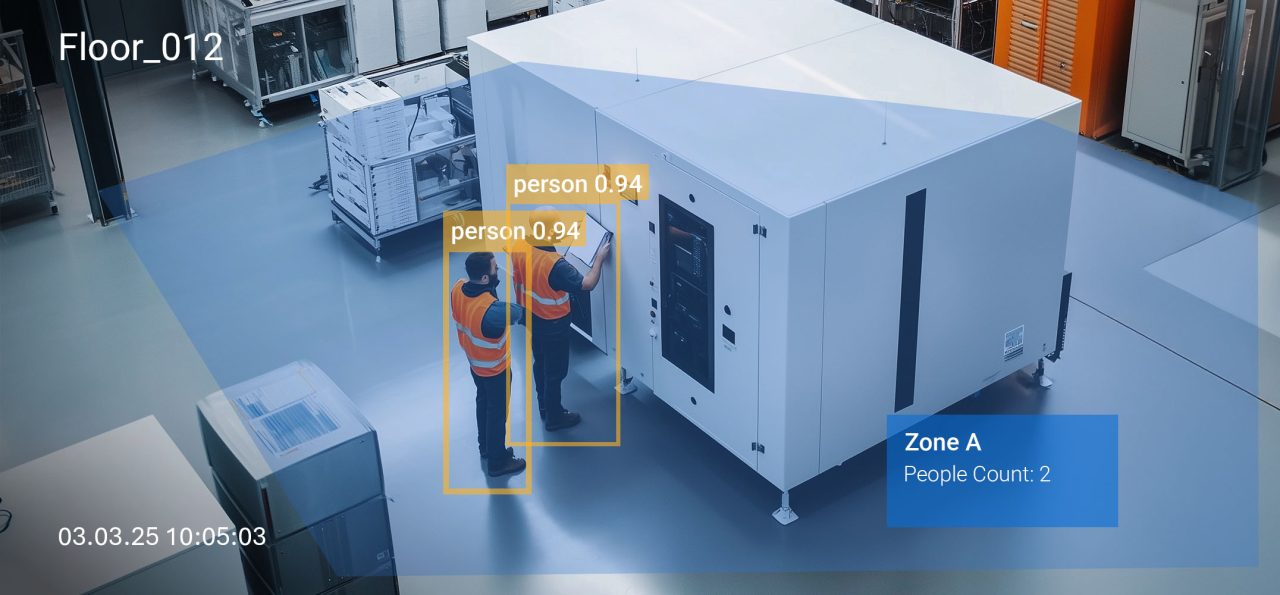
Computer vision turns that footage into structured events that an agent can read alongside its other data sources. Applications such as intrusion detection, weapon detection, and abandoned luggage detection produce time-stamped events with a location and a confidence score, which is the same shape of data a security information and event management (SIEM) system already handles. Paired with access control records, those events let an agent check whether the person who badged in is the person the camera actually saw.
Visual context also shortens the time to detect incidents that would otherwise surface only during a manual review. When a single agent can continuously monitor both digital signals and camera events, a weak signal in one source can prompt a targeted check in the other. Vision language models extend this further by letting the agent ask plain questions of recorded video, an idea covered in more depth in When Cameras Become Queryable.

Inside an Agentic Incident Response Workflow
An agentic workflow follows the same lifecycle that NIST describes, but the agent carries the routine load at each stage. A typical sequence for automating incident handling looks like this:
- Detect. Agents continuously monitor logs, network telemetry, and computer vision events, flagging activity that deviates from an established baseline in real time.
- Triage. The agent scores each alert, merges duplicates, and assigns severity, while critical incidents bypass the queue and reach an on-call analyst immediately.
- Investigate. The agent gathers evidence across security tools and video sources, then assembles a timeline that shows what happened, where, and in what order.
- Respond. Pre-approved response actions run automatically, and higher-impact actions are sent to a person for approval along with the supporting evidence.
- Recover and document. Systems are restored, the incident management platform is updated, and every step the agent took is written to an audit trail.
- Improve. Post-incident reviews feed continuous improvement, refining detections, permissions, and the incident response plan itself.
Steps one and two map to the CSF Detect function, steps three and four to Respond, and step five to Recover, while the review in step six returns lessons to Govern and Identify. Where video is involved, much of the detection work can run on edge devices close to the cameras, so only events and short evidence clips travel to the central agent.
Metrics That Show Whether Automation Is Working
The value of automated incident response should be measured against a baseline taken before deployment. Without one, it is impossible to tell whether the agent improved response capabilities or simply moved work around. These five metrics give a balanced picture:
| Metric | What It Measures | Where Agentic AI Should Help |
|---|---|---|
| Mean time to detection (MTTD) | Gap between an incident starting and the team knowing about it | Correlating weak signals across logs and camera events |
| Mean time to respond (MTTR) | Gap between detection and containment | Running pre-approved actions without waiting for a shift change |
| Analyst touches per incident | Manual steps needed to close an incident | Enrichment and evidence collection done before handoff |
| Escalation precision | Share of escalations that were genuine incidents | Attaching evidence so false positives are closed earlier |
| Override rate | How often analysts reverse an agent decision | Showing where the agent’s scope exceeds its evidence |
Reduced alert fatigue shows up in analyst touches and escalation precision rather than in raw alert volume, because the goal is to interrupt people less often while the system still sees every signal. The override rate deserves particular attention, since it is the clearest early signal of whether analysts trust the agent enough to rely on it.
Guardrails for Automating Incident Response Safely
An incident response agent reads attacker-controlled content as part of its job. Phishing emails, malicious log entries, and even text placed in view of a camera can all reach the model, and some of that content may be written to manipulate it. Researchers who first described indirect prompt injection put the core problem plainly:
“LLM-Integrated Applications blur the line between data and instructions.” (Greshake et al., 2023)
For security teams, this means an agent must never treat what it investigates as a source of commands. The broader field of adversarial machine learning shows that vision models can be targeted in similar ways, so the same caution applies to camera inputs. Practical guardrails include:
- Tiered permissions that separate read-only investigation, reversible actions, and high-impact actions, with each tier written into the incident response plan.
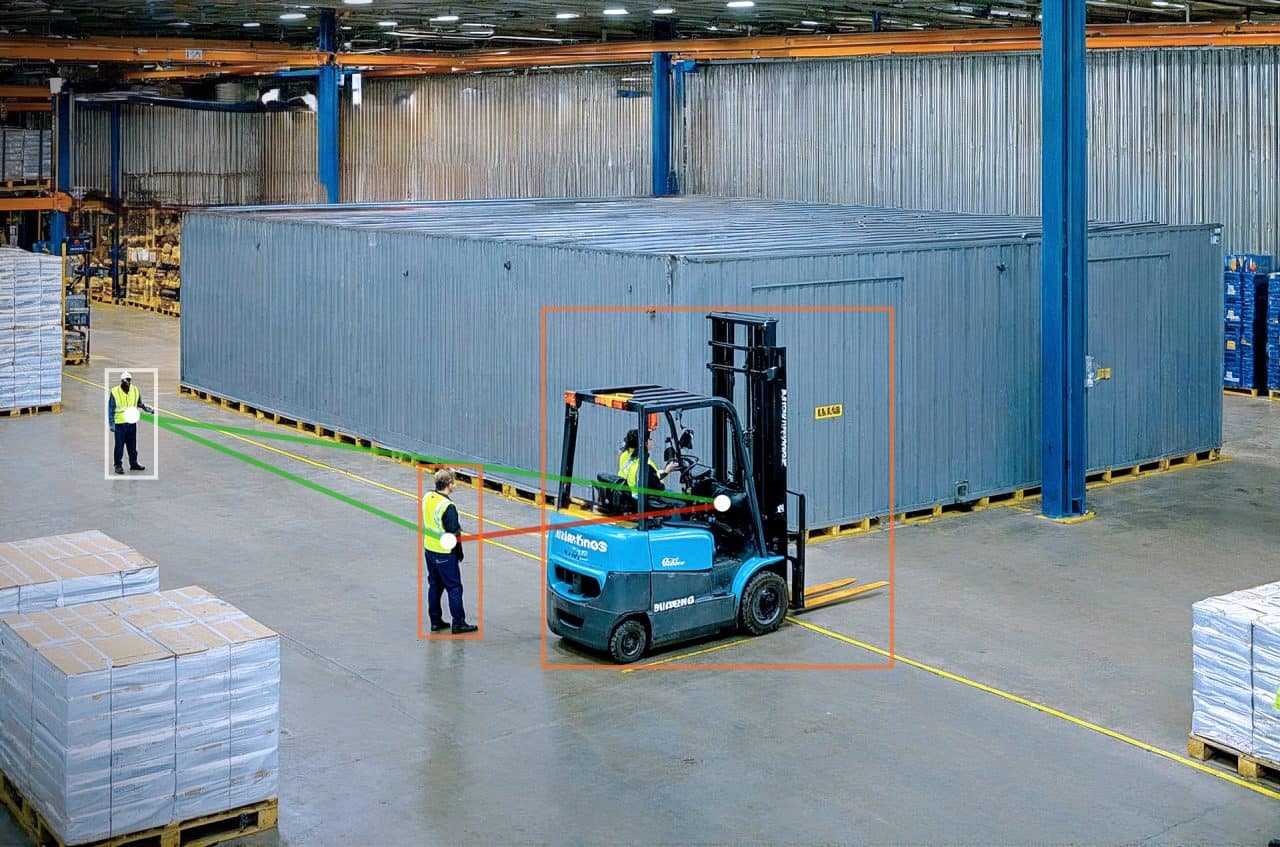
- Mandatory human-in-the-loop approval for critical incidents and any action that affects production systems or physical access.
- A tamper-resistant audit trail that records each tool call, the evidence behind it, and the reasoning the agent gave.
- Data minimization for video, with GDPR-compliant vision practices such as on-device processing and limited retention.
Regulation points in the same direction. The EU AI Act places obligations on certain uses of biometric and surveillance systems, and certifications such as ISO 27001 for computer vision give buyers a way to check how a vendor handles security data.
How To Evaluate Automated Incident Response Solutions
Automated incident response solutions vary widely in how much autonomy they assume and how much evidence they show. Before committing to one, security teams should be able to answer these questions:
- Does it integrate with the security tools and incident management platform already in use, or does it require replacing them?
- Can it ingest events from camera systems and video analytics, or is it limited to logs and network data?
- Are permission tiers configurable per action, and can they differ by site, asset type, or time of day?
- Does every decision come with an explanation an analyst can verify in under a minute?
- Can the audit trail be exported for compliance reviews and post-incident analysis?
The visual layer is often where these platforms are weakest. Viso Suite is built for that layer, giving enterprises a way to develop, deploy, and manage computer vision applications on live camera feeds, with processing at the edge, so that physical events can join the rest of the security picture.
Where Automated Incident Response Goes Next
Automated incident response is moving from scripted playbooks toward agents that investigate the way an experienced analyst would, across every source of evidence an organization holds. Cameras are one of the largest of those sources and one of the least used.
Organizations that connect visual events to their security operations now, with clear permissions and a complete audit trail, will be better placed as agentic systems take on more of the response workload. To see how computer vision events can feed your incident response process, book a demo with the viso.ai team.